> ## Documentation Index
> Fetch the complete documentation index at: https://docs.ollama.com/llms.txt
> Use this file to discover all available pages before exploring further.
# Codex App
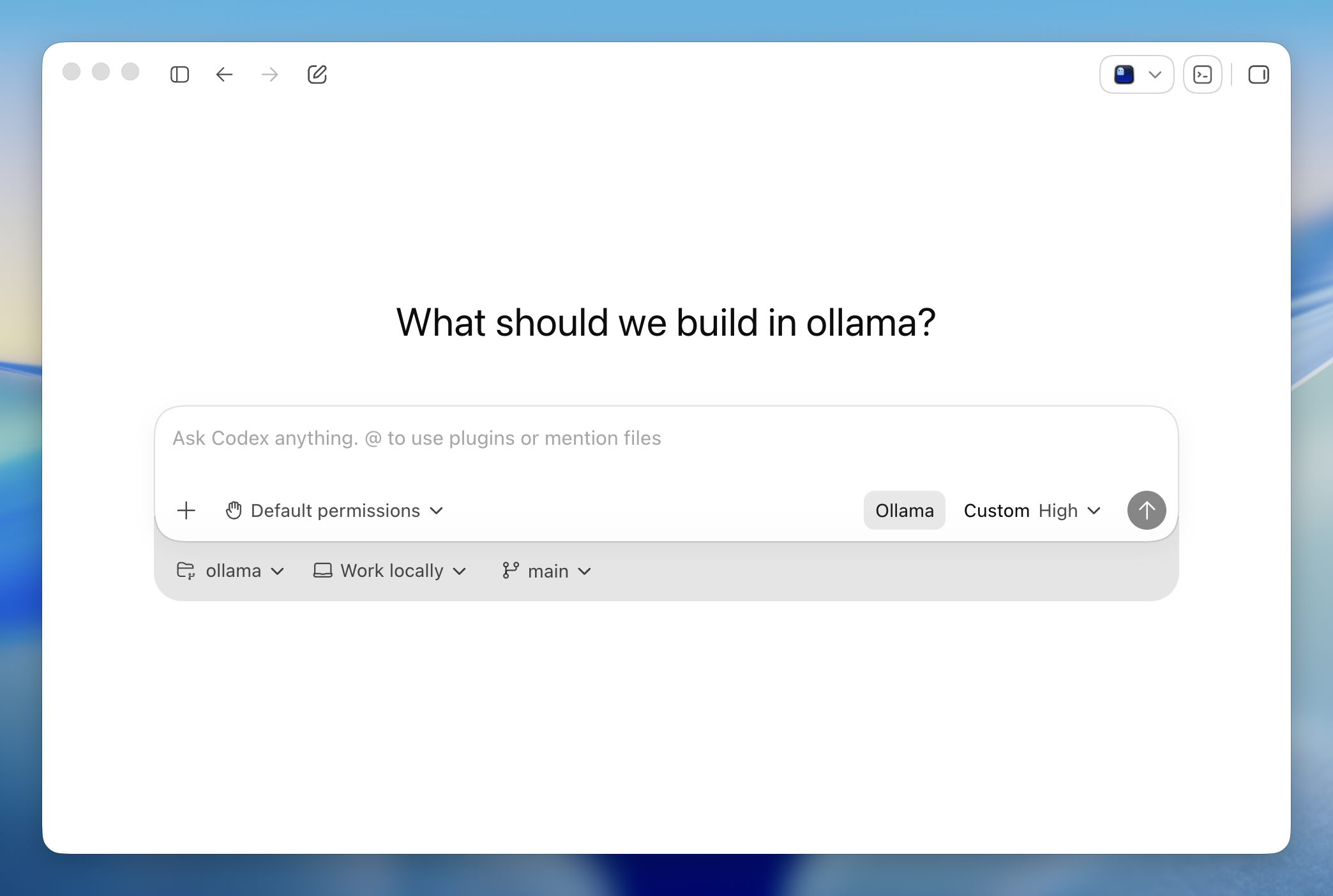
Codex App is OpenAI's desktop coding agent for macOS and Windows. Ollama configures the app to use Ollama's OpenAI-compatible endpoint, so Codex can work with local models and Ollama Cloud models in the desktop app.
 ## Install
Install the [Codex App](https://developers.openai.com/codex/quickstart/) for macOS or Windows.
Codex App support is available in Ollama v0.24.0 and newer.
## Quick setup
```shell theme={"system"}
ollama launch codex-app
```
Once Codex App opens, start a task or open a repository as usual.
## Built-in browser
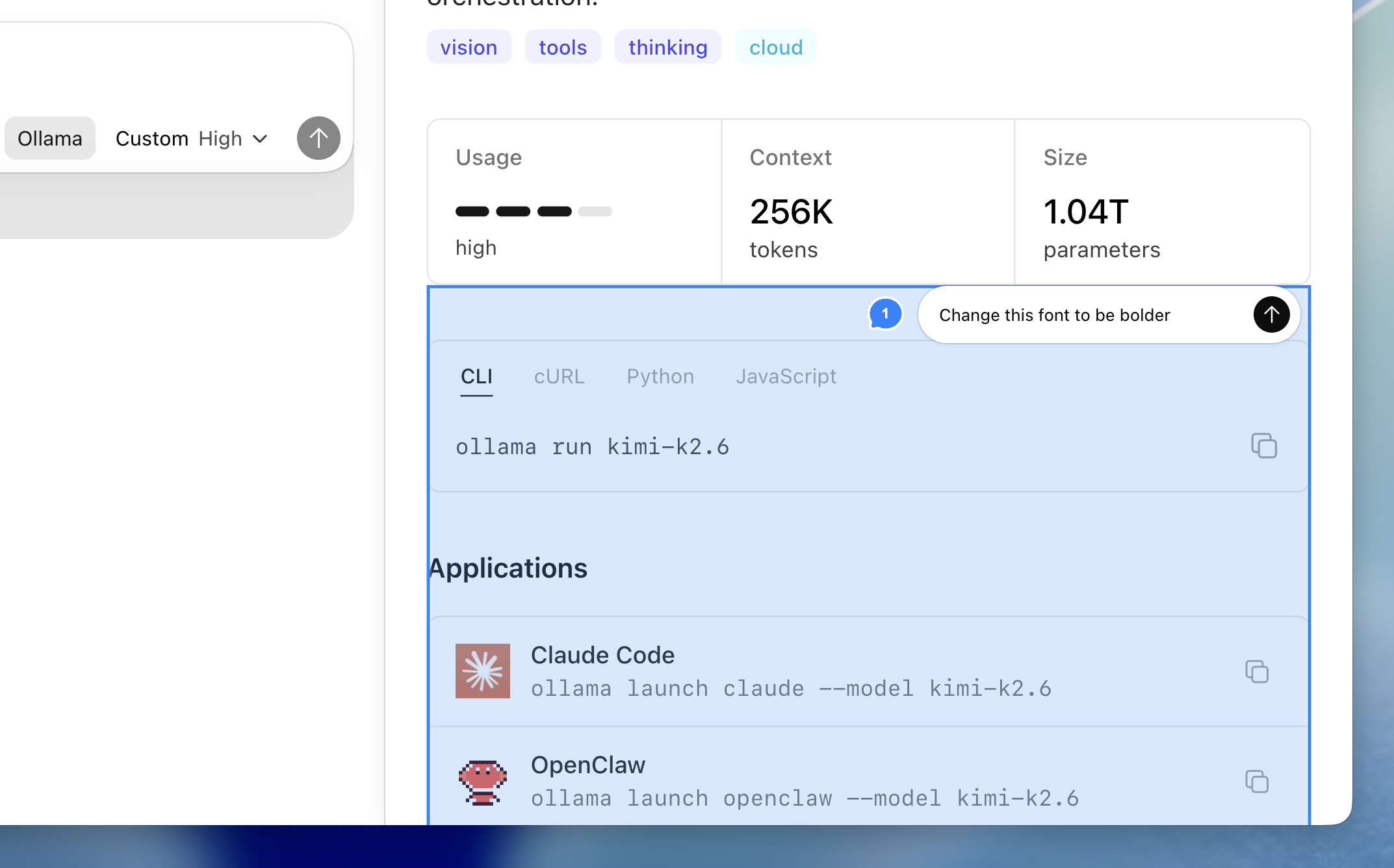
Codex App can open local servers and sites in its built-in browser. Annotate directly on the page to request changes.
## Install
Install the [Codex App](https://developers.openai.com/codex/quickstart/) for macOS or Windows.
Codex App support is available in Ollama v0.24.0 and newer.
## Quick setup
```shell theme={"system"}
ollama launch codex-app
```
Once Codex App opens, start a task or open a repository as usual.
## Built-in browser
Codex App can open local servers and sites in its built-in browser. Annotate directly on the page to request changes.
 ## Review mode
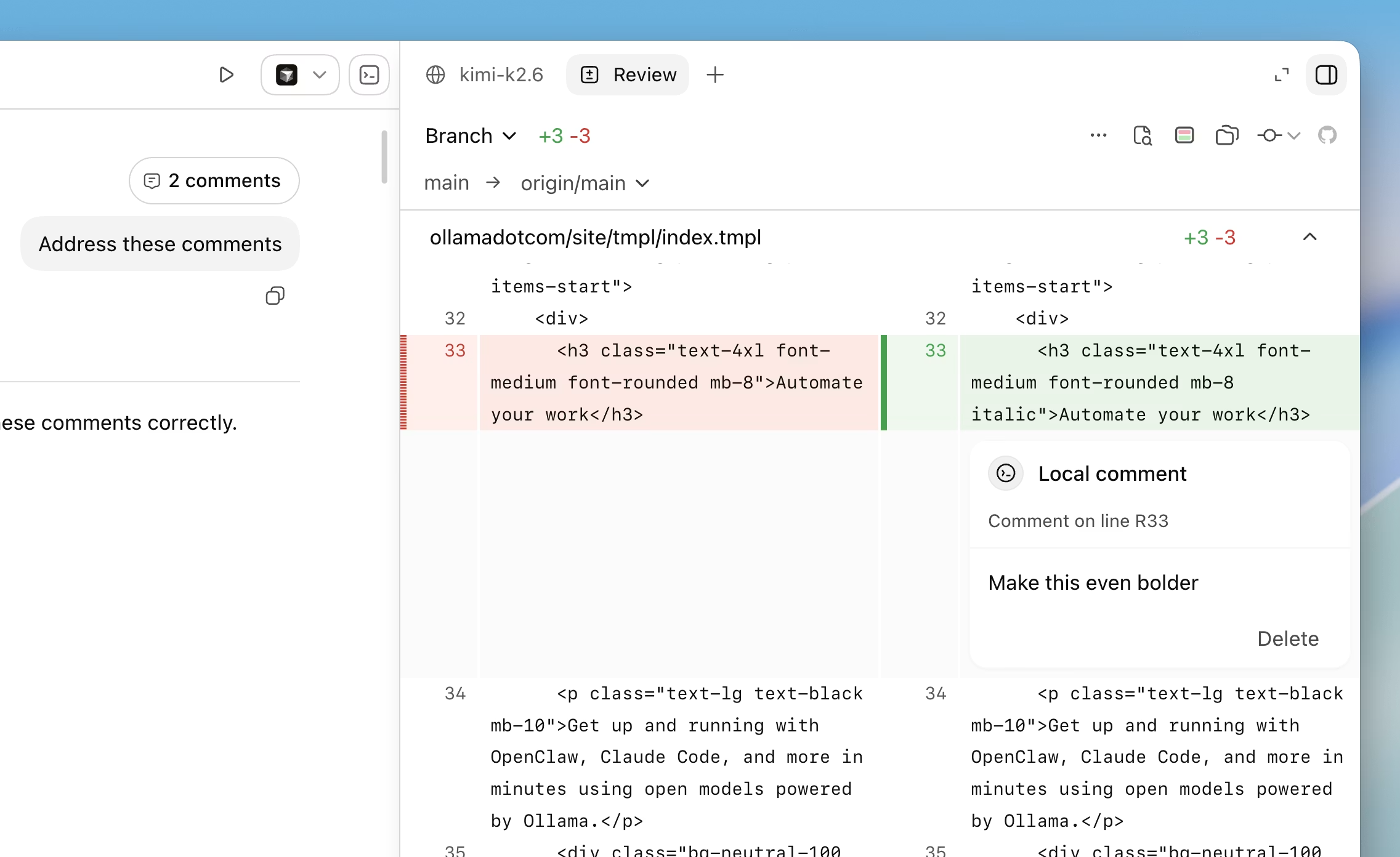
Use review mode to inspect code changes, leave comments, and iterate on fixes without leaving the app.
## Review mode
Use review mode to inspect code changes, leave comments, and iterate on fixes without leaving the app.
 ### Run directly with a model
```shell theme={"system"}
ollama launch codex-app --model kimi-k2.6:cloud
```
Use a local model by passing its model name:
```shell theme={"system"}
ollama launch codex-app --model gemma4:31b
```
Running `ollama launch codex-app` is persistent and will have your model selected next time you open Codex.
### Restore Codex App
To switch Codex App back to the profile you were using before `ollama launch codex-app`, run:
```shell theme={"system"}
ollama launch codex-app --restore
```
Ollama restores Codex App's settings and configs. If Codex App is open, Ollama asks before restarting it.
The Codex CLI profile managed by `ollama launch codex` is left separate from the Codex App profile.
Before overwriting Codex App config files, Ollama Launch saves backups under `~/.ollama/backup/codex-app/`. On Windows, `~` resolves to your user profile directory.
## Troubleshooting
If Codex App does not open after setup, open Codex manually once and run `ollama launch codex-app` again.
If Codex App is already running and does not switch models, allow Ollama to restart it when prompted, or quit Codex App and run `ollama launch codex-app` again.
### Run directly with a model
```shell theme={"system"}
ollama launch codex-app --model kimi-k2.6:cloud
```
Use a local model by passing its model name:
```shell theme={"system"}
ollama launch codex-app --model gemma4:31b
```
Running `ollama launch codex-app` is persistent and will have your model selected next time you open Codex.
### Restore Codex App
To switch Codex App back to the profile you were using before `ollama launch codex-app`, run:
```shell theme={"system"}
ollama launch codex-app --restore
```
Ollama restores Codex App's settings and configs. If Codex App is open, Ollama asks before restarting it.
The Codex CLI profile managed by `ollama launch codex` is left separate from the Codex App profile.
Before overwriting Codex App config files, Ollama Launch saves backups under `~/.ollama/backup/codex-app/`. On Windows, `~` resolves to your user profile directory.
## Troubleshooting
If Codex App does not open after setup, open Codex manually once and run `ollama launch codex-app` again.
If Codex App is already running and does not switch models, allow Ollama to restart it when prompted, or quit Codex App and run `ollama launch codex-app` again.